
What Is Seipartv IPTV?
Before discussing installing IPTV on Roku, let’s understand what IPTV is.
IPTV, or Internet Protocol Television, is a service that provides live TV channels and movies via the Internet. An IPTV subscription offers numerous benefits over traditional cable TV subscriptions, including faster, more versatile, on-demand TV. IPTV channels come in HD high-resolution, so you’re not sacrificing quality.
An IPTV service usually requires some sort of set-top box. But if you watch IPTV on Roku, you circumvent that requirement.
Subscribe to SeiparTV for an affordable and seamless viewing experience!
How to Install IPTV on Roku With a Simple Trick
This tutorial provides step-by-step instructions for installing IPTV on Roku. We must “sideload” an IPTV app on the Roku device. The instructions below require a computer to download the IPTV app file and add it to your Roku streaming device. Some IPTV apps can also be found on the device’s app store, making the installation process easier.
Using another IPTV player like TiviMate, you can watch IPTV on Roku by casting to your Roku device. IPTV Smarters is one of the best IPTV players, compatible with hundreds of IPTV services that use an IPTV server URL.
Let’s get into how to install IPTV on Roku. I divided the instructions into four parts to make them easier to follow:
Part 1: Enabling Developer Options on Roku
Launch your Roku and press the following buttons in the same order on your remote: Home Button x3, Up Arrow x2, Right Arrow x1, Left Arrow x1, Right Arrow x1, Left Arrow x1, Right Arrow x1, Left Arrow x1, Right Arrow x1.
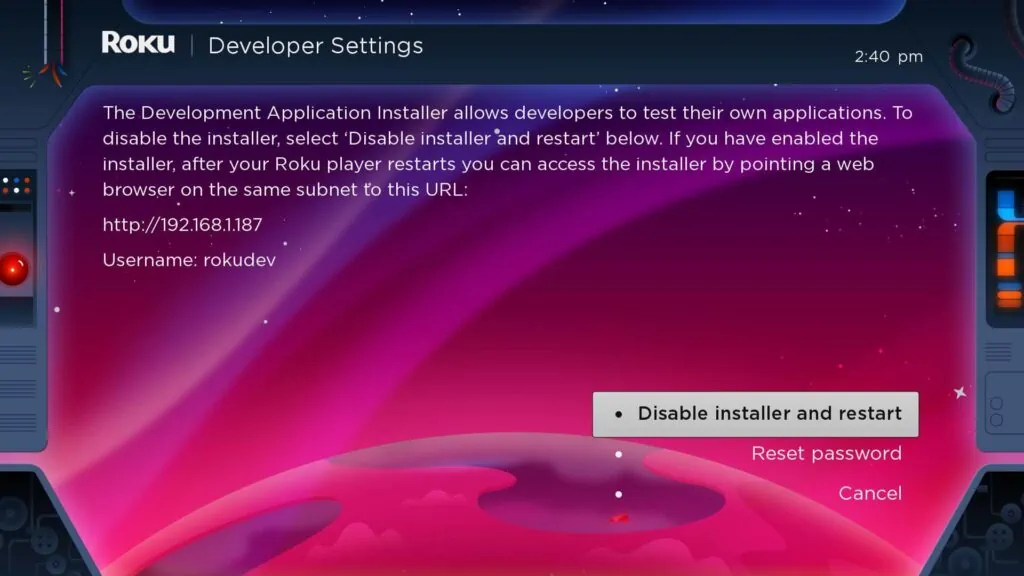
Write down the IP address listed on the screen.
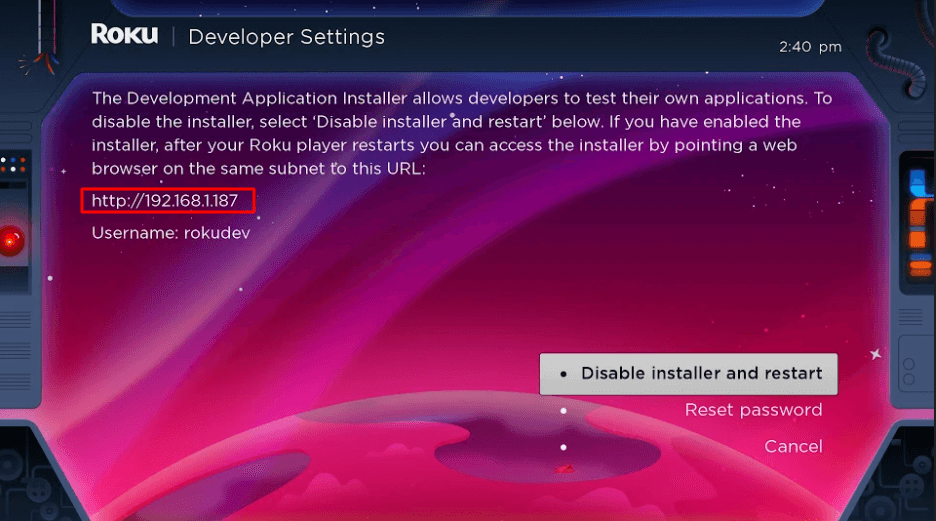
Select Enable installer and restart.
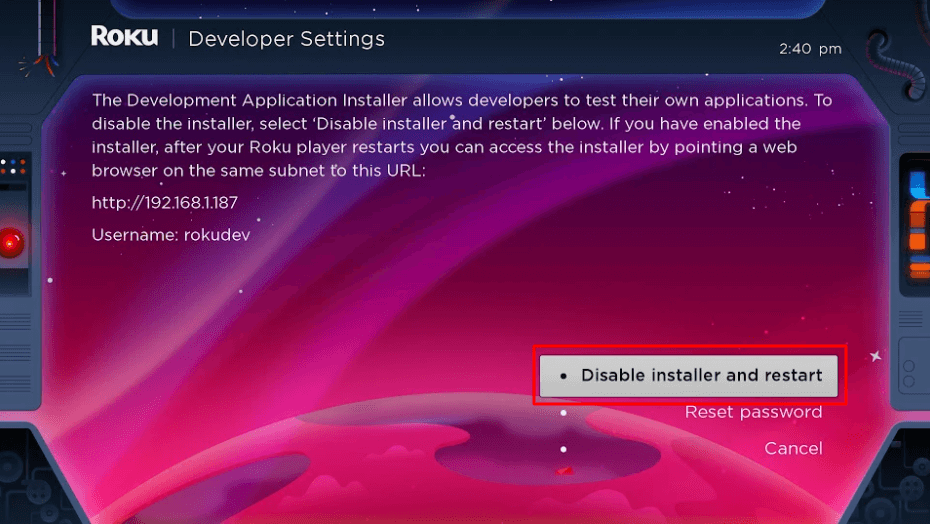
Scroll through the Developer Tools License Agreement and select I Agree. Use the keyboard that appears to create a web server password. You will need this password for a later step.
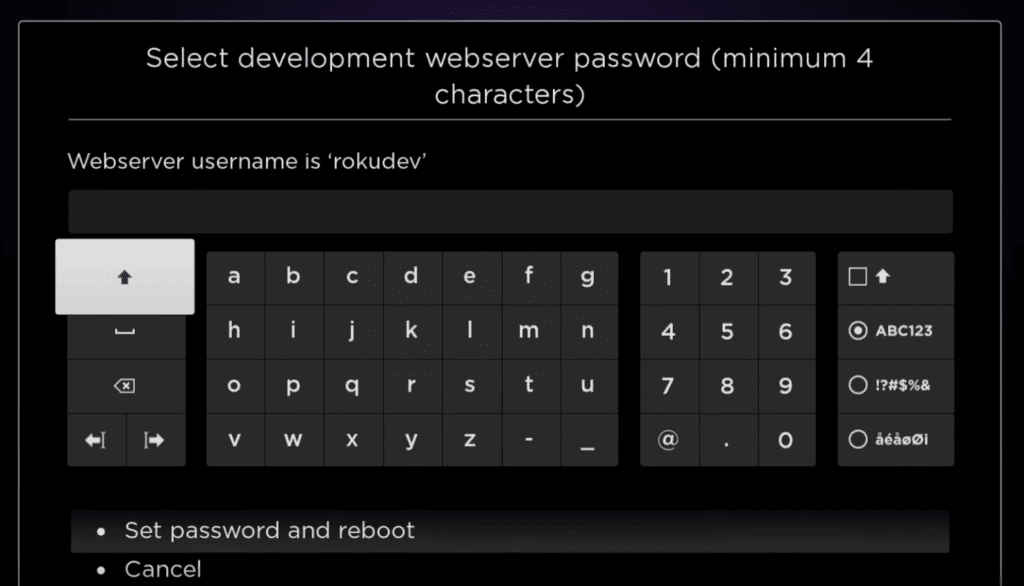
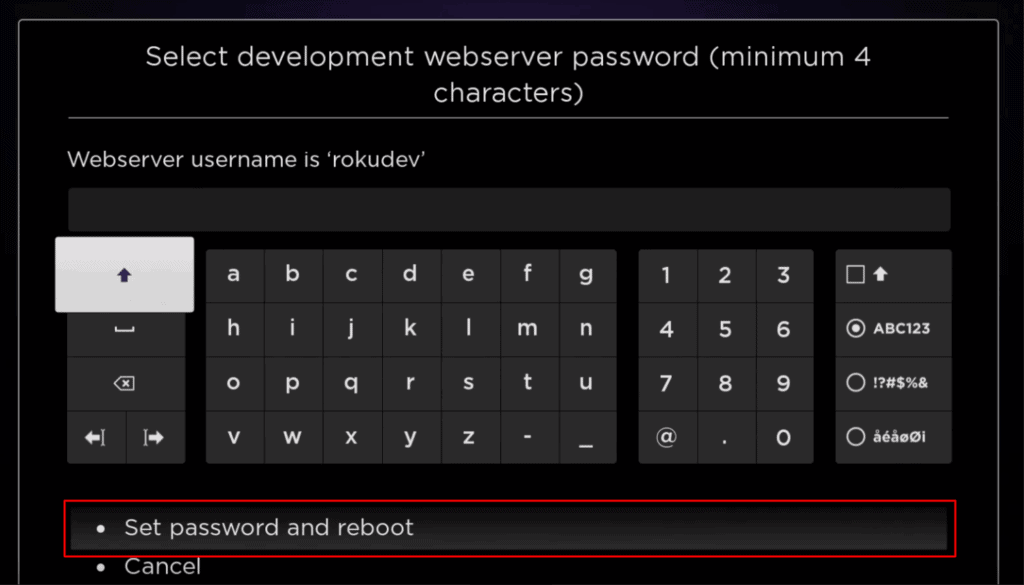
Select Set password and reboot.
Part 2: Add IPTV Smarters App
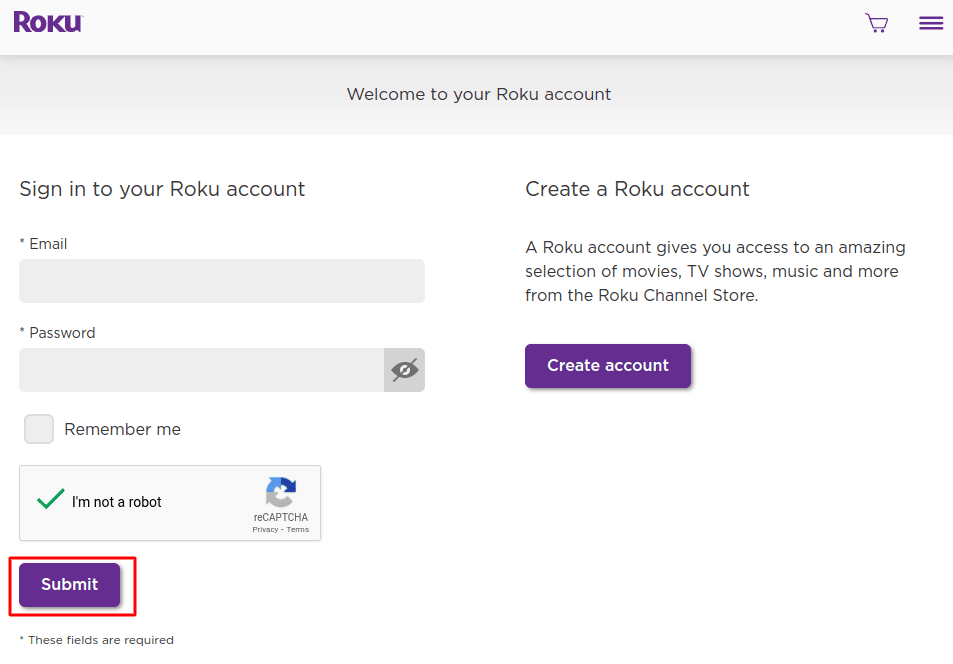
Head to your computer and navigate to my.roku.com using any browser. Type in your username and password for your Roku account, and click Submit.
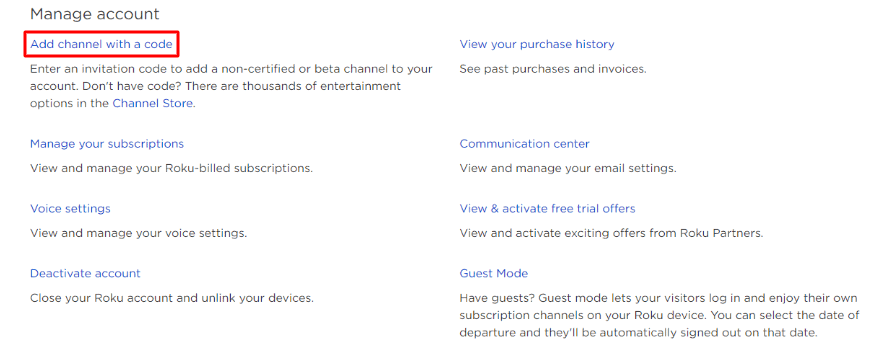
Once logged in, select Add channel with a code, under Manage account.
Type iptvsmarters into the box. Make sure you’ve typed it exactly as shown.
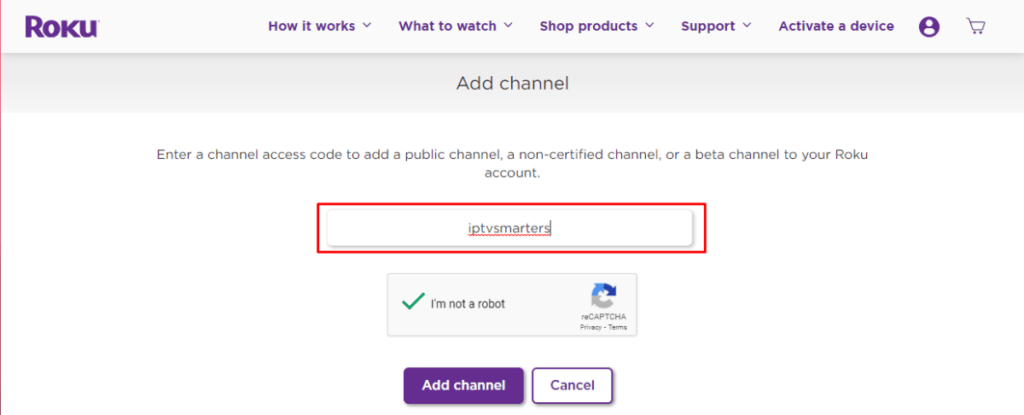
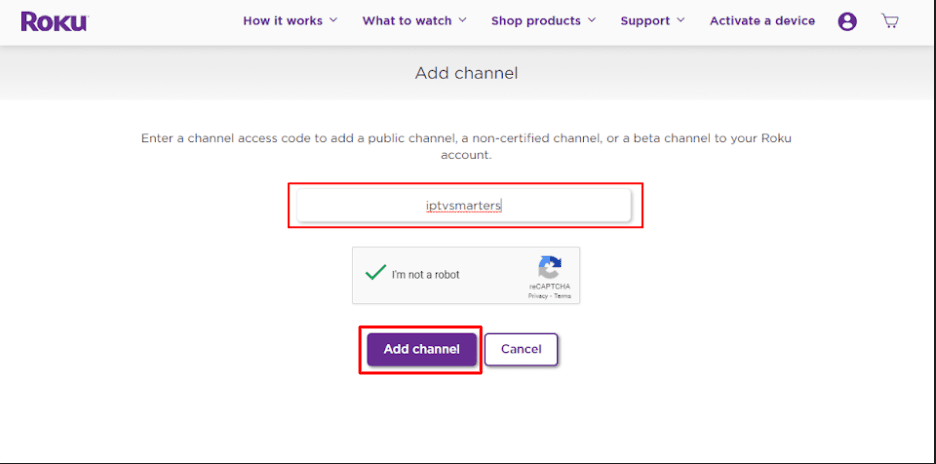
Select Add Channel to add it to your Roku.
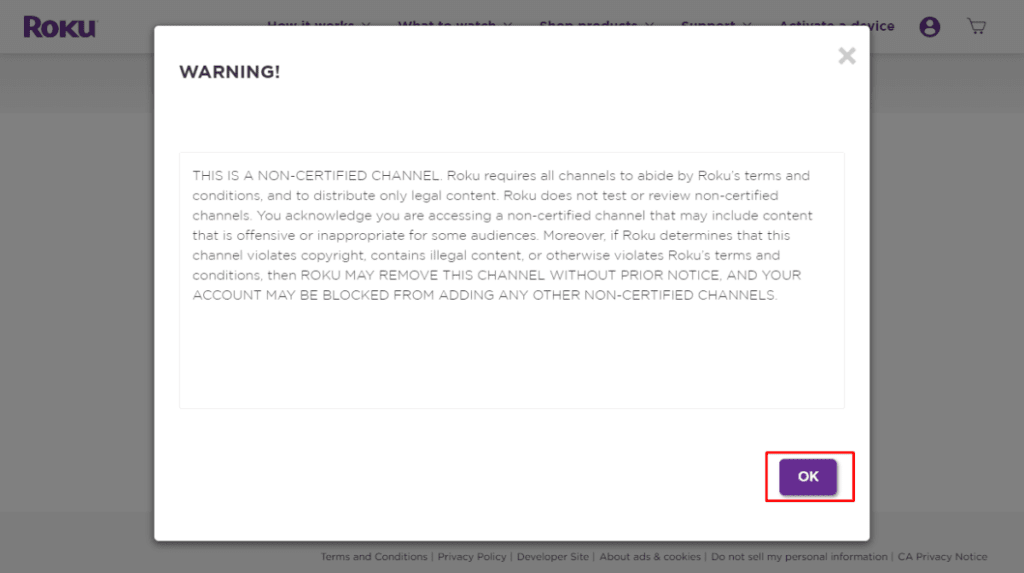
Click OK on the warning message that appears.
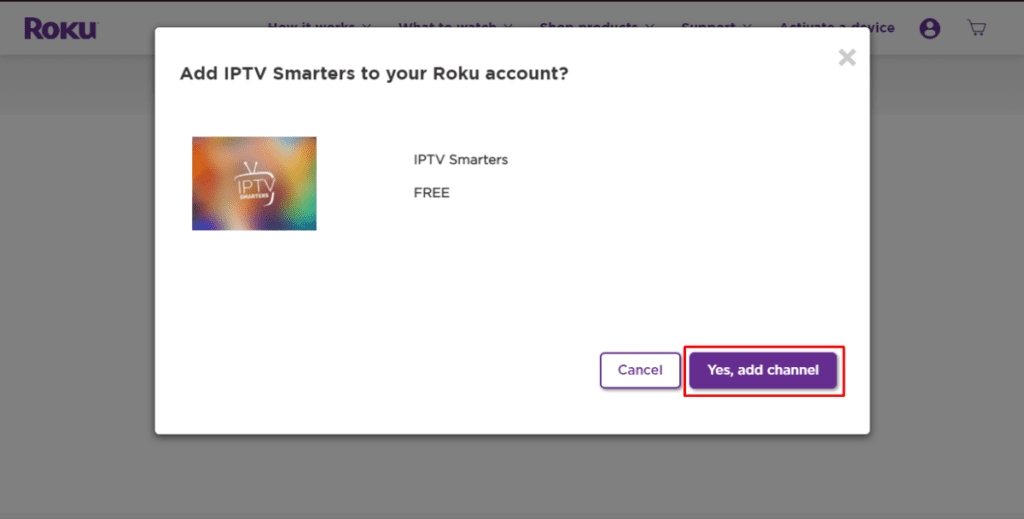
Select Yes, add channel on the following popup.
IPTV Smarters is also compatible with smart TVs, making it a versatile option for streaming content.
Part 3: Download IPTV Smarters Package on Your Computer
Now, it’s time to download the IPTV Smarters file onto your computer.
Head to this link on your computer, and the download should start automatically: IPTV Smarters Package
Save the IPTV Smarters package somewhere accessible on your computer (you’ll need to browse to this location in a moment).
Part 4: Install IPTV Smarters on Roku
Open any browser on your computer. Enter the IP address from your Roku you wrote down earlier.
A sign-in box will appear. Type rokudev as the Username. For the Password, type in the webserver password you created earlier. Finally, click Sign in.
Click Upload on the next page.
Browse to the location where you downloaded the IPTV Smarters package. Select the downloaded folder and click Open.
Click Install once the file is uploaded.
Return to your Roku device, and IPTV Smarters will be on the television. Simply log in with your IPTV Smarters information, and you’re in!
Now that you have IPTV Smarters on your Roku device, learn how to use IPTV Smarters to watch different IPTV services. With SeiparTV, you can access a wide range of live TV channels and on-demand content with high-quality streaming.
Steps to Watch IPTV on Roku Through Screen Mirroring
To stream IPTV on your Roku-connected TV using screen mirroring, you must install IPTV Smarters or Smart IPTV on your smartphone. Once you have one of these two players, you can use your device’s cast or mirror option. Using screen mirroring provides a seamless viewing experience across multiple devices such as smart TVs, smartphones, and tablets. Both IPTV Smarters and Smart IPTV offer a user-friendly interface, enhancing the viewing experience and making navigation simpler.
With the cast/mirror option, you can access content on your Roku TV from any device on the same Wi-Fi network using the IPTV player app.
Is IPTV Legal on Roku?
IPTV on Roku is legal, yes. If you’re tired of dealing with traditional cable TV subscriptions, paying for various packages, and having a limited overall experience, IPTV on Roku is a fantastic way to consume media content like TV shows and HD movies.
However, this service does come with a caveat. While learning to watch IPTV on Roku is ideal for watching content without paying a ton, note that various legal and illegal IPTV services exist. It is up to you, the user, to research before trying one out.
I strongly recommend using a trusted VPN on your router to protect all your devices, including Roku. A VPN encrypts your data, meaning no one can discover what you are streaming or surfing online.
Best IPTV Services for Roku (Unverified) to Access Live TV Channels
Unverified IPTV services might need to be sideloaded onto your device. These services can be cheaper than traditional TV services but should be used with caution.
Iconic Streams: Provides ultra-HD-quality movies and TV channels to your Roku device. The IPTV app allows you to watch live events and on-demand content, providing a TV guide for browsing channels. Iconic Streams offers plans with live chat support and multiple device connections.
Yeah! IPTV: Supports standard, high, and full high-definition channels on many devices, like your Roku. It offers over 6,000 live TV and exclusive sports channels. It also offers the ability to record live TV, allowing you to watch your favorite shows at your convenience.
Apollo Group TV: Provides over 1,000 live channels with a 10-day free trial. Offers news, TV shows, movies, sports, and pay-per-view channels.
SSTV IPTV: Provides over 8,000 live channels, shows, and movies to watch on your TV screen.
Hypersonic TV: One of the cheaper streaming services, with over 7,000 live TV channels and support for international sports.
Best Legal IPTV Services for Roku
The following IPTV apps for Roku are entirely legal and can be downloaded from the official Roku Channel Store.
Sling TV: A popular IPTV app for Roku, with over 50 channels streaming in full HD and no contracts beyond the monthly subscription.
seipar’tv : Experience seamless viewing with SeiparTV, the best IPTV service offering high-quality streaming and on-demand content. Ditch traditional cable TV subscriptions and enjoy our affordable prices, allowing you to access live TV channels and movies on multiple devices, including smart TVs. Our user-friendly IPTV app, available on your device’s app store, ensures a smooth experience. With SeiparTV, you can record live TV, connect with an IPTV server, and enjoy entertainment from Netflix, Disney, and more. Join our satisfied customers and subscribe today for the ultimate IPTV subscription!
Philo: Offers unlimited DVR recording and over 60 channels. Stream on up to three devices at once.
YouTube TV: Provides various professional sports IPTV channels and unlimited cloud DVR storage.
Hulu: Offers live TV and many sports channels through internet service providers, with over 75 channels and up to 50 hours of cloud DVR storage.
AT&T TV: An expensive IPTV provider with over 40,000 things to watch on Roku, including an HBO Max subscription.
Wrapping Up
In this article, I showed you how to watch IPTV on Roku in several ways. One method is to use an unverified IPTV service by integrating it with a Roku IPTV player or screen mirroring on your mobile device. Another method is to get a verified IPTV app from the Roku Channel Store. Any method gives you access to TV shows, live TV channels, and other video content, often at affordable prices significantly cheaper than traditional TV.
By choosing SeiparTV, you can enjoy high-quality streaming, on-demand content, and a seamless viewing experience with access to various movies and entertainment channels. Subscribe today for the best IPTV service!